
 Canada
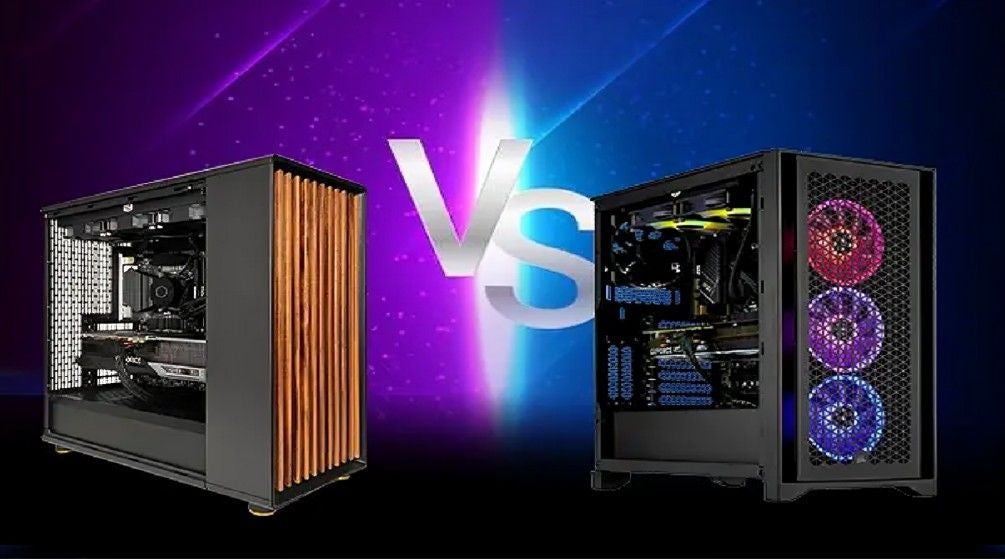
The Workstation vs Gaming PC debate has grown increasingly relevant as technology evolves and modern hardware offers high performance for a variety of tasks. Choosing the right system is no longer just about raw power; it’s about matching your computer to your specific needs, whether that’s professional work, gaming, or creative projects.
Understanding the distinctions between these two kinds of machines is crucial. Workstations are built for reliability, handling multiple tasks at once, and running specialized applications, whereas gaming PCs focus on graphical performance, quickness, and engaging experiences.
Being aware of how each system operates can prevent expensive errors, guarantee peak performance, and assist you in getting the most value from your expenditure.
When comparing Workstation vs Gaming PC, key factors like processing power, graphics capability, usability, long-term reliability, and upgrade potential must all be considered. This guide explores these aspects in detail, helping you make an informed decision based on your workflow, entertainment preferences, and budget.
What Defines a Workstation?
A workstation is a high-performance computer built for professional workloads and advanced computing tasks. Engineers, architects, data scientists, and video editors commonly use these machines.
Core Features
Workstations focus on reliability and processing power rather than entertainment features. The system requires standard components, which include:
- The system uses ECC (Error Correcting Code) RAM to maintain better data integrity.
- Professional-grade GPUs such as NVIDIA Quadro or AMD Radeon Pro.
- The system needs high-core-count processors to handle multiple tasks.
- The system uses optimized drivers to support professional software programs, which include CAD and rendering applications.
These systems are often considered among the best multitasking PCs because they can handle multiple heavy applications simultaneously without slowing down.
Advantages
Workstations provide multiple advantages that benefit professionals:
- The system delivers outstanding stability because it operates complex applications throughout extended periods.
- Certified compatibility exists because many professional software programs need testing on workstation hardware specifically.
- The system functions best when executing multiple tasks, which include rendering software together with simulations and data processing tools.
These systems become essential to industries that depend on accurate calculation and precise rendering.
Drawbacks
There are limitations to workstations that exist as their benefits:
- Professional GPUs, together with ECC memory, create a higher expense for workstations.
- The system lacks proper optimization because it does not support gaming graphics or deliver high frame rates.
The system can run games, but its performance falls short of dedicated gaming systems, which represent the best PC for gamers.
What Defines a Gaming PC?
A gaming PC serves its primary purpose to provide entertainment through its capability to deliver high-performance graphics. The systems deliver smooth gameplay while providing fast frame rates and rich visual environments.
Core Features
Gaming computers typically include powerful consumer GPUs like NVIDIA GeForce RTX 4090 or AMD Radeon RX 7900 XTX.
A typical gaming PC contains the following features:
- Real-time rendering requires high-performance graphics cards.
- Gaming performance needs fast CPUs that developers have optimized for the process.
- The system includes RGB lighting together with components that users can customize.
- The system includes cooling systems that use advanced technology.
- The system includes high refresh-rate monitors and audio setups that create an immersive experience.
Many gaming systems promote themselves as the best PC for gamers because of their powerful graphics capabilities and fast processing speed.
Advantages
- Superior graphics performance: This system renders complex environments at high speed, which results in better graphics output.
- Cost-effective performance: High-end gaming GPUs offer excellent performance at a lower cost compared to professional-grade hardware, making them a great value for gamers and casual creators alike.
- Customization: Users can upgrade GPUs, RAM, cooling systems, and aesthetics.
For simple productivity jobs like streaming, content creation, or editing, gaming PCs may also serve as top multitasking computers.
Drawbacks
Though they excel in many aspects, gaming PCs also have some drawbacks:
- Less stability for business use.
- Lack of ECC memory.
- A few optimizations for specialized professional software.
Though they can handle some creative work, they might not be perfect for important commercial uses.
Workstation vs Gaming PC: How to Pick the Ideal System
Choosing the right system starts with evaluating your priorities, daily tasks, and overall usage patterns. Here’s a step-by-step approach to help you decide:
1. Assess Your Main Requirements
Consider how you plan to use your computer:
- Professional workloads: A workstation is the better choice for tasks like 3D modeling, video editing, or data analysis.
- Gaming and entertainment: A gaming PC delivers superior graphics, speed, and immersive experiences.
- Mixed use: High-end gaming PCs can often handle creative projects alongside entertainment, offering a balance for dual-purpose users.
2. Budget Considerations
Workstations come with specialized components that often increase their cost considerably. If your job demands do not require top-tier dependability, a gaming computer might provide a more cost-effective option while still handling various creative activities.
3. Long-Term Scalability
Both workstations and gaming PCs can be upgraded over time, but gaming PCs are generally easier and more cost-effective to modify. Workstations may require certified components for certain upgrades, which can increase costs.
Considering your long-term needs upfront helps prevent unnecessary spending and ensures your system remains relevant for years.
Wrap Up
Choosing between a workstation and a gaming PC comes down to understanding your specific needs, whether it’s professional workloads, creative projects, or immersive gaming.
Workstations deliver unmatched stability, multitasking, and software reliability for demanding business tasks, while gaming PCs provide high-speed performance, superior graphics, and customization for entertainment and creative pursuits.
At TechnoidGamingPC, we offer a wide range of high-performance business PCs and prebuilt gaming systems tailored to meet every user’s requirements.
Explore our expertly curated selection today to find the system that matches your workflow, gaming ambitions, and long-term goals, and upgrade your computing experience with confidence.
People Also Ask
1. Can a gaming PC be used as a workstation?
Yes, a gaming PC can handle some professional tasks, such as video editing or graphic design. However, it may lack the software certification, stability, and reliability that a dedicated workstation provides.
2. Why do workstations cost more?
Workstations use specialized components like certified drivers, professional GPUs, and ECC RAM. These parts improve reliability and performance but also increase the overall cost.
3. Which is better for video editing?
For high-demand video editing, especially when using professional software, workstations are generally the better choice due to optimized performance and stability.
4. Can professional software run on gaming PCs?
Most gaming PCs can run professional software, but they may not be fully optimized or officially certified for certain enterprise applications.
5. Should I buy a workstation if I only play games?
No. If your primary use is gaming, a gaming PC offers better graphics performance, speed, and overall value.